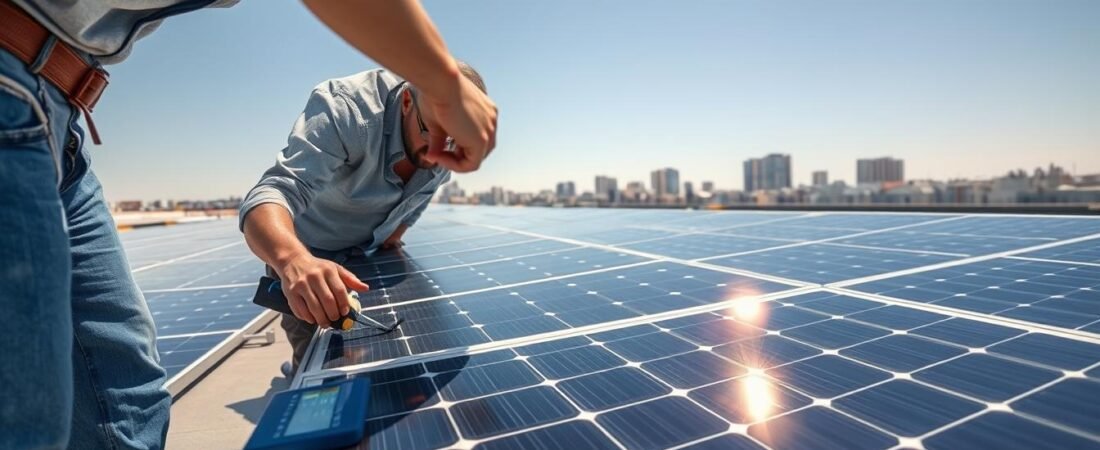
Want to keep your home energy system running strong? Most panels are built to last 25 years or more, but homeowners still face small problems now and then. This short guide shows simple steps to spot damage, check wiring, and handle debris after storms or hail.
Routine maintenance helps avoid bigger costs and keeps electricity flowing. We’ll explain when a do-it-yourself fix makes sense and when to call a pro. You’ll learn what to watch for after snow, wind, or heavy weather and how manufacturer warranties and installation choices affect replacement options.
By the end of this introduction, you’ll feel more confident inspecting your system, understanding common causes of problems, and choosing the right next steps. Use these tips to protect your investment and keep your home powered with less downtime.
Understanding Common Solar Panel Issues
Understanding common faults makes it easier to spot small problems before they grow costly.
Low failure rates are reassuring. The National Renewable Energy Laboratory reports a mere 0.05% failure rate over normal service life.
“Panels rarely fail completely, but debris, wiring faults, and poor installation can cut output and raise costs.”
Most service calls involve simple causes. Debris buildup and dirty surfaces lower energy and electricity output. Loose wiring or poor roof mounting can cause intermittent faults. Weather and time change how fast these issues appear.
- Regular cleaning and basic maintenance keep systems efficient.
- Monitor output to catch drops before you need replacement or costly repair.
- Good installation reduces roof and wiring problems over time.
| Issue | Typical Cause | Estimated Time to Fix |
|---|---|---|
| Debris/soiling | Pollen, leaves, bird droppings | 1–2 hours (cleaning) |
| Wiring faults | Loose connections, corrosion | 1–4 hours (inspection & tighten) |
| Mount/roof issues | Poor installation or storm damage | 2–8 hours (depends on roof) |
Safety First When Inspecting Your System
Start any inspection by putting safety first — the right steps keep you and your roof safe. Before you touch equipment, pause and confirm the site is stable and you have a second person nearby.
Identifying Disconnect Switches
Locate the main AC and DC disconnect switches before doing any work. Mark their positions and label them if they are not clear.
Knowing the disconnects helps homeowners manage the system during an emergency and makes routine checks safer.
Avoiding High Voltage Hazards
High-voltage electricity runs through these arrays, so extreme caution is essential to prevent damage or shock. Always verify the installation is powered down before inspecting wiring or roof mounts.
- Turn off AC and DC disconnects and lock out power when possible.
- Use insulated tools and wear safety gloves and eye protection.
- If you are unsure, stop and call a licensed electrician rather than continue risky work.
Safety is the most important part of any repairs or maintenance. Follow protocols to protect yourself and keep costs from rising due to accidental damage.
Troubleshooting Monitoring and Software Problems
Connection and software glitches often cause more monitoring headaches than hardware failures.
If data stops flowing, check simple network changes first. A new Wi‑Fi password or a replaced router commonly breaks links between your home and the monitoring hub.
Power cycling the hub is a quick, low‑risk step. Turn the unit off, wait 30 seconds, then power it on. This often clears transient software errors and restores reporting.
Poorly trained installers can also create issues by entering wrong system settings during installation. Incorrect parameters make inverters underperform and can trigger false alarms about energy output.
“Many monitoring problems are time-sensitive but fixable remotely by your installer at no extra cost.”
Keep a routine check on readings so wiring or hardware faults show up early. Staying online ensures your roof-mounted panels receive updates and that you spot drops in production before they raise costs or extend downtime.
Addressing Inverter Hardware Failures
Start troubleshooting by confirming whether the inverter shows error codes or warning lights.
Inverter hardware failure ranks just behind roof and wiring faults in causing panel repairs. Most inverters last a decade or more, but heat and age can cause premature damage.
Distinguishing String Inverters from Microinverters
String inverters act as the system’s central brain. If a string inverter fails, the entire array stops producing power until it is fixed or replaced.
Microinverters sit at each module and isolate faults. If one micro unit fails, the rest of the panels usually keep working, which reduces downtime and limits replacement costs.
- Watch for error lights, unusual heat, or a sudden drop in output.
- Turn off and lock out power before inspecting wiring or equipment.
- Address inverter issues quickly to protect your home power supply and limit long-term costs.
Managing Roof Leaks and Structural Integrity
Keeping roof penetrations watertight helps avoid hidden damage and long-term costs.
High-quality mounting kits often use silicone or butyl sealants to keep water out for decades. These seals reduce the chance of leaks and protect the underlayment beneath your panels.
Leaks are uncommon but can be a major pain. When they do occur, professionals usually restore structural integrity and check framing, flashings, and fasteners.
Most reputable installers include workmanship coverage that handles roof penetrations for a set time after installation. That warranty can save you costs and time if a leak appears.
- Debris, hail, snow, and strong winds add pressure to mounts and roof fasteners.
- If you suspect a leak, inspect wiring and structural connections under the array right away.
- In high-wind or heavy-snow areas, schedule routine checks to spot loose hardware early.
| Risk | Cause | Quick Action |
|---|---|---|
| Leak at mount | Failed sealant or loose fastener | Reseal with butyl or silicone; tighten flange |
| Framing rot | Long-term moisture intrusion | Replace damaged decking and reinforce supports |
| Mount hardware damage | Hail or wind stress | Replace bracket and inspect surrounding shingles |
Dealing with Wiring and Electrical Connections
A quick wiring inspection can stop small faults from becoming costly hazards. Check junctions, lugs, and visible runs on the roof to spot loose or burnt contacts before they cause outages.
Identifying Arc Faults
Arc faults start where connections are loose or corroded. Look for heat discoloration, melted insulation, or a burning smell. These signs mean a fault is active and dangerous.
Do not try complex electrical fixes yourself if you see burnt contacts. Turn off the affected circuit and get professional help immediately.
Preventing Pest Damage
Animals nesting under panels often chew wires and cause intermittent faults. Regular maintenance and cleaning help spot gnaw marks early.
- Install wire guards at vulnerable runs to keep rodents out.
- Schedule seasonal inspections to prevent damage and reduce long-term cost.
- If you find chewed wiring, call a licensed electrician rather than attempt a DIY repair.
“Routine checks of wiring and connections protect the whole system and cut down future repairs.”
Assessing Damage to Solar Panels
Begin damage assessment from a safe distance, then move closer for a targeted inspection. Wear gloves and eye protection, and avoid stepping on the array.
Microcracks often start as thin, hairline lines in the cells or backsheet. Thermal cycling — repeated heating and cooling — is a common cause. Wind, hail, and heavy snow can add pressure and speed up cracking.
Identifying Microcracks
Look for changes in reflection, faint lines, or tiny dark spots under bright light. Use a flashlight at low angle to highlight fractures. If glass is flaking or the laminate is lifting, the module likely needs replacement.
Repairing with Laminating Film
Transparent laminating film can seal hairline cracks and keep moisture out. Clean the surface, position the film, then smooth with a squeegee to remove air bubbles.
Using Waterproof Resins
Waterproof resins fill tiny gaps and bond quickly. Apply sparingly with a squeegee to avoid excess. These fixes delay moisture entry and help the array produce energy until a permanent solution is scheduled.
“Sealing microcracks protects against moisture and reduces the risk of electrical shorts.”
- Inspect after hail or storms and after heavy snow.
- If wiring shows burn marks or delamination appears, plan for replacement.
- When in doubt, contact a qualified technician to protect warranty and safety.
Professional Solar Panel Repair Services
For serious damage or unclear faults, reach out to the original installer before attempting fixes.
Most national installers keep dedicated teams to handle claims, diagnostics, and service calls. If your modules were put in by a smaller local company, contact your project manager to coordinate next steps.
Professional technicians will inspect the type of damage and advise if a component replacement or a simple field fix is more cost effective. They also manage paperwork for manufacturer warranties and can often cover parts while you pay only labor.
“Choosing a reputable installer upfront makes later service smoother and helps protect your warranty.”
When evaluating bids, ask for clear cost estimates, timelines, and whether roof access or system shutdowns are needed. Good installers explain trade-offs between on-site repairs and full replacement so you can balance costs and system longevity.
Navigating Warranty Coverage and Costs
A clear warranty plan helps homeowners avoid surprise bills when service is needed. Read your paperwork early so you know what the manufacturer and installer will cover.
Understanding Labor and Material Responsibilities
Warranties usually cover material defects, not labor. That means equipment replacement may be free, but on‑site work can still cost between $400 and $1,000 on average.
If an installation error causes roof or wiring damage, the installer is normally on the hook for full fixes. Check who did the original work and what their workmanship policy includes.
- Premium manufacturer warranties or third‑party insurance can cover both labor and equipment.
- About 73% of installers proactively monitor systems and may spot issues before you do.
- Riders on your homeowner policy might pay for weather damage — confirm limits and deductibles.
“Understanding your coverage is essential to managing costs and keeping energy production steady.”
For a clear breakdown of terms and common exclusions, see this warranty explained guide before scheduling any work or replacement.
Conclusion
Small, regular steps will keep your system producing energy and avoid big bills.
Keep routine maintenance and monitoring in your calendar. That simple habit helps prevent damage and keeps electricity flowing for years.
Be ready to safely shut down the array in an emergency and keep a clear line of communication with your installer. Knowing warranty limits for materials and labor makes cost decisions easier when a solar panel repair is needed.
Address minor damage quickly to avoid larger, more expensive fixes. With timely care and prompt contact with professionals, homeowners can protect their installation and enjoy steady energy output for decades.