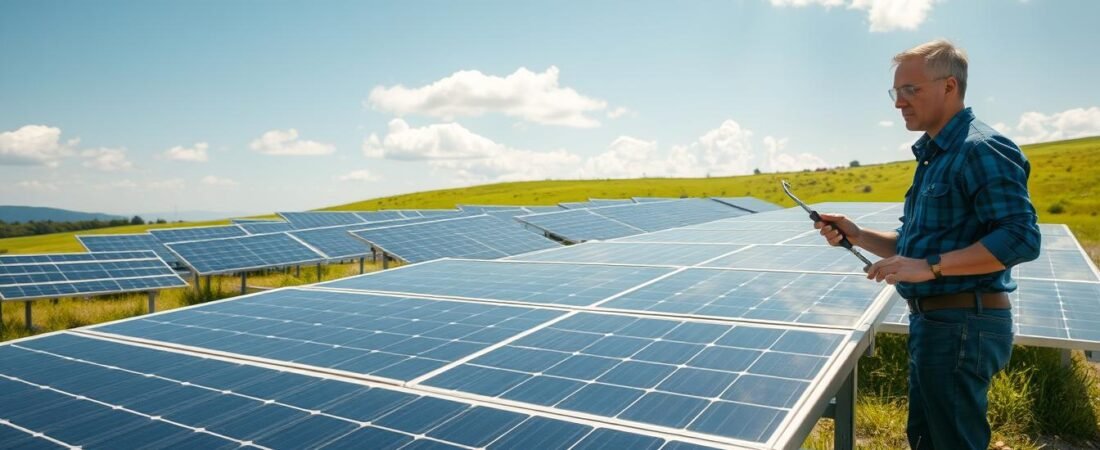
Quick reality: modern solar panels often produce electricity for 25 years or more and fail very rarely. Most issues come from inverters, wiring, software, weather, or accidents — not the modules themselves. This guide focuses on restoring safe, reliable output across the whole system, not just swapping a cracked module.
For U.S. homeowners, expect durability and low maintenance, but plan for occasional fixes over a 25+ year life. The goal here is practical: help you spot problems, stay safe, weigh repair versus replacement, and learn typical costs and who usually pays.
We’ll preview common issues you’ll see: monitoring and communications, inverter failures, roof leaks, wiring faults, and broken panels. If production drops, you may draw more grid power and still owe a loan or lease payment while you wait for service.
Safety first: do what you can from the ground or an app, and call licensed solar or electrical pros for anything on the roof or inside equipment. Document symptoms early — that usually gets problems solved faster and with less expense.
Why solar panel systems rarely fail but still need attention
Even though modern modules rarely fail, the broader system can show faults that cut output. PV modules are very reliable because they have no moving parts and little mechanical wear. That builds trust for long service lives.
What the data says about failure rates
Industry testing and NREL data show an extremely low module failure rate—about 0.05%. That means failures are rare, but rare is not zero. Homeowners should still watch for drops in production.
Where most problems actually happen
Faults tend to appear in electronics, software, or installation work. Inverters, monitoring gateways, firmware, disconnects, breakers, and network links often cause trouble.
- Workmanship errors: roof penetrations or loose wiring can create leaks or faults.
- Environmental aging: thermal cycling, storms, pests, and UV stress components over time.
- Physical damage: impacts and weather can harm modules even if they are built tough.
| Area | Typical cause | Common fix |
|---|---|---|
| Inverter / electronics | Hardware failure or firmware bug | Firmware update or component swap |
| Wiring & connections | Loose torque, corrosion, or rodent damage | Tighten, replace, or protect conductors |
| Roof penetrations | Poor flashing or sealant failure | Re-seal or correct the mount installation |
Diagnosing the root cause matters. Treating a low reading without finding why can waste time and money. Most issues are serviceable, and many installers troubleshoot remotely once you share system logs and photos.
Safety first when dealing with damaged solar panels
Damaged roof-mounted equipment can still carry live electricity while the sun shines. Safety is the top priority: do not touch broken glass or exposed conductors. Keep children and pets away and cordon off the area.
How to shut down your system using AC and DC disconnects
Locate the AC disconnect near your inverter and the DC disconnect between the array and the inverter. These switches stop production and isolate components so professionals can work safely.
Note: this is a concept guide, not brand instructions. If you are unsure where switches are, call your installer before tampering.
When physical damage, moisture, or exposed wiring becomes an emergency
Stop now if you see shattered glass, exposed wiring, popping sounds, visible arcing, a burning smell, active sparking, or water inside a junction box. Moisture conducts electricity and can turn minor damage into a fire or shock risk.
- Do not spray water on suspected electrical faults.
- Document photos from a safe distance and shut down AC/DC if you can do so safely.
- Call 911 for active fire or arcing; otherwise contact your installer for urgent service guidance.
| Situation | Immediate action | Who to call |
|---|---|---|
| Exposed conductors or arcing | Keep distance, shut down AC/DC if safe | 911 for fire; installer for urgent service |
| Wet module or junction box | Do not touch; isolate power and document | Installer or licensed electrician |
| Cracked glass or loose mounts | Do not step on or move; cordon area | Installer for on-roof work |
How to diagnose solar power problems before you start a repair
Quick intro: Start by confirming whether the system is truly underperforming or just changing with the season. A short fact-finding routine often separates routine dips from real faults.
Signs of underperformance include sudden production drops, monitoring alerts, inverter fault codes, or a system that stops reporting data. Compare today’s output to the same hour last week or last month, while noting weather and shading differences.
Simple, safe homeowner checks
- Check the monitoring app for error codes and timestamps.
- Confirm Wi‑Fi or router changes and power‑cycle the gateway only if the installer permits.
- Verify breakers and external disconnects are in the correct position without opening enclosures.
What to avoid
- No rooftop climbing or on-roof work yourself.
- Do not open the inverter or probe live wiring unless you are qualified—electrical work is dangerous.
When remote support helps
Many installers monitor systems and can spot issues remotely. Share screenshots of error codes, timestamps of production loss, and photos of indicator lights to speed diagnosis. This often saves time and can be free.
Before you call: note system size, inverter brand/model, monitoring app name, and any recent home electrical work. That info helps the technician triage and decide if on-site work or simple settings changes will fix the problem.
Solar panel repairs for the most common system issues
Start by grouping the five most common faults so you can match symptoms to likely causes fast.
Monitoring, software, and communication
What you can observe: app errors, missing data, or sudden reporting gaps after a router change.
What a pro will do: check the gateway, re-pair devices, and correct firmware or settings so reporting and power tracking return to normal.
Settings and software mismatches
What you can observe: inverters charging or discharging at odd times, or lower-than-expected output.
What a pro will do: review system parameters, update firmware, and restore correct operating profiles.
Inverter hardware failures
What you can observe: error codes, no production, or the whole array going offline with a string inverter.
What a pro will do: run diagnostics, replace failed modules inside the inverter, or swap the unit if needed.
Roof leaks around mounts
What you can observe: water stains, loose fasteners, or missing sealant at penetrations.
What a pro will do: reseal or replace flashing and correct installation details to stop leaks and protect roof and equipment.
Wiring, loose connections, and fire risk
What you can observe: intermittent output, burning smell, or visible arcing at connectors.
What a pro will do: isolate circuits, re-terminate lugs, and replace damaged conductors—this is not DIY work due to electrical and arc-fault risk.
Broken modules from hail, debris, or impacts
What you can observe: cracked glass, moisture inside junction boxes, or visible shattering after storms.
What a pro will do: shut down the array safely, document damage, and replace affected parts or full modules as required.
“Most service calls fall into five categories: communications, inverters, roofs, wiring, and physical damage.”
| Issue | Visible sign | Typical pro action |
|---|---|---|
| Monitoring / comms | Missing data, app errors | Gateway reset, Wi‑Fi pairing, firmware update |
| Inverter hardware | Error codes, no output | Diagnostics, component swap, unit replacement |
| Roof leaks | Water stains, loose mounts | Re-flash, reseal, correct installation |
| Wiring / connections | Intermittent power, arcing | Re-termination, replace conductors, safety testing |
| Broken modules | Cracked glass, moisture | Shutdown, document, replace damaged parts |
Repair vs replacement: choosing the safest, most cost-effective option
Deciding whether to fix or replace a damaged unit should follow a simple priority list: safety first, then performance effect, then total long‑term cost. Start by documenting visible harm and any drops in production.
Microcracks and homeowner clues
Microcracks are tiny fractures from thermal cycling or stress. They may not be easy to see but can cause hot spots, unexplained dips, or new shading‑like patterns on output.
A technician may use electroluminescence or thermal imaging to confirm microcrack effects.
Waterproofing fixes homeowners see
Two common consumer options aim to limit moisture: transparent laminating film (applied with heat and a squeegee) or polyurethane/resin coatings. Both can slow water ingress but may affect warranties—check before applying.
When replacement is the right call
Replace a unit if you see delamination, flaking glass, severe breakage, or water inside the junction box. These failures risk shorts and corrosion, and in many cases a full replacement is safer and more cost‑effective over time.
| Condition | Short action | Long term |
|---|---|---|
| Microcracks | Document, test | Monitor; waterproof if minor |
| Delamination / flaking | Isolate, document | Replacement recommended |
| Severe breakage / water inside | Shut down array, call pro | Replace for safety and costs |
“Prioritize safety, then weigh performance loss and total replacement cost before deciding.”
Step-by-step solar panel repair approach for homeowners
A short, safe workflow helps homeowners fix minor issues and gather proof before calling pros. Start with low-risk checks and only climb or touch equipment if you are sure it is safe.
Cleaning and debris removal
Observe from the ground. Note dust, pollen, leaves, sap, or bird droppings that block light and cause hot spots.
Clean in cool hours with a soft brush and plain water. Avoid cold water on hot glass to prevent thermal shock.
If your roof is steep or slippery, hire a cleaning service for safe maintenance about twice yearly or as conditions demand.
Inspecting for pests and protecting wiring
Look for nesting material, droppings, chewed conduit, or scratching sounds under the array.
Wire guards or critter screens reduce repeat damage and heat buildup from nests. Fit these by a qualified installer if access is tricky.
Documenting damage for service, warranty, or claims
Take clear photos and short videos of visible faults, inverter lights, and monitoring screenshots. Note dates, storm events, and any roof staining.
This evidence speeds help from installers, supports manufacturer warranty claims, and can be used with insurance companies when weather causes loss.
What to leave to professionals
Do not open inverters, re-terminate connectors, or work on roof penetrations. Electrical troubleshooting and on-roof sealant work can create shock or fire risk.
Keep your installer number, equipment serials, and system docs handy so pros can start repairs fast.
“A careful ground-level check, good photos, and timely contact with your installer often solve most issues quickly.”
| Task | Homeowner action | When to call pro |
|---|---|---|
| Light debris | Brush and rinse in cool hours | Steep roof or heavy buildup |
| Pest signs | Photograph, install DIY guards if safe | Nesting under array or chewed wiring |
| Visible damage | Document and isolate area | Cracked glass, moisture inside junctions |
Solar panel repair cost in the United States and what drives pricing
Understanding typical price anchors helps you avoid sticker shock during service. In the U.S., a single on-site repair visit commonly lands between about $400 and $1,000. That range covers many routine fixes but can shift with complexity and warranty coverage.
Typical on-site costs and common price ranges
Expect a service call or truck roll of roughly $200–$300. Diagnostic time and labor often add $150+ per hour. Simple software or communications fixes can be same-day and sit near the low end.
Service call, diagnostics, labor rates, and parts
A sample invoice usually breaks down as: service call, diagnostic hours, hourly labor, and parts (gateway, optimizers, breakers, or small wiring components). Parts and shipping add to the final bill if items are out of stock.
Why wiring and electrical work can cost more
Wiring faults may exceed $1,000 because troubleshooting takes time, requires test gear, and follows strict safety protocols. On-roof access, attic work, or harvesting conduit runs raise labor and time costs.
Other price drivers: regional labor rates, roof height, travel distance, and system design. Microinverter systems can be quicker to isolate than large string architectures, which may extend work time.
Save money tip: share clear symptoms, timestamps, and photos before the visit so crews bring the right parts and avoid repeat trips.
For deeper reading on common service scenarios, see this repair and servicing guide.
Who pays for repairs: installer, manufacturer warranty, homeowners insurance, or you
Knowing who pays for a fix can save you from surprise bills and long phone calls.
Four common payers handle most claims: the installer under a workmanship warranty, the equipment manufacturer, your homeowners insurance, or you paying out of pocket. Each has limits and common exclusions.
When workmanship issues fall to the installer
Installers usually cover faulty installation work such as leaking roof penetrations, improper wiring, or incorrect inverter setup discovered soon after commissioning.
Document dates, photos, and the install contract to speed resolution.
Manufacturer warranty: parts often yes, labor sometimes no
Manufacturers typically replace defective equipment or parts under warranty. Often labor is excluded, so you may still pay service fees even when the part is free. Check your warranty terms closely and keep serial numbers handy.
How homeowners insurance and ownership change things
Homeowners insurance can cover damage from hail, wind, fire, or falling trees if those perils are listed. Review deductibles and whether the system is listed on your policy.
If a third-party company owns the system (leases or PPAs), the owner usually manages and pays for maintenance unless you caused the damage.
Extended coverage and practical next steps
Premium warranties or third-party solar warranty insurance can include labor and reduce out-of-pocket costs. About 20% of installers offer extended coverage options.
| Payer | Typical coverage | Limitations |
|---|---|---|
| Installer (workmanship) | Fixes from poor installation, leaks, wiring errors | Time-limited; must prove installer fault |
| Manufacturer | Replacement equipment and defective parts | Often excludes labor and travel |
| Homeowners insurance | Damage from listed perils (storms, fire) | Deductible applies; check policy wording |
| Homeowner (out-of-pocket) | Small fixes, non-covered damage, or expedited service | Full cost borne by owner |
Quick action list: gather contracts, warranty certificates, serial numbers, and clear photos before filing claims. Expect some downtime — you may buy extra electricity from the grid while waiting for parts, which raises total costs.
For manufacturer warranty detail, see this warranty guide.
Conclusion
Regular checks and quick action on faults protect long-term output and avoid costly downtime.
Modern solar arrays rarely fail — module fault rates sit near 0.05% — but the wider system can need service. Most calls come from monitoring or communications issues, inverter hardware, roof leaks, wiring faults, or physical damage to the panels.
Safety matters: shut down with AC and DC disconnects when safe to do so, treat moisture or exposed conductors as urgent, and never attempt live electrical work yourself.
Do routine maintenance: clean glass in cool hours, remove debris, and check for pests to prevent wiring damage and lost energy.
If production drops or you see inverter errors, document timestamps, screenshots, and photos, then contact your installer. Remote support often resolves simple issues faster.
Timely action protects your power and savings. Most service scenarios are manageable when you act fast, use qualified help, and understand warranty and insurance options.